

Redirect To Multiple Websites With Using JavaScript.
Home Page / Redirect To Multiple Websites
Redirect To Multiple Websites
You Will Read Here:
What is a website redirect?
A redirect is when a visitor is sent to a different website (or URL) than the one they typed when they typed a web address in the address bar. For example, if you move your website content to a new URL, you can direct your seasonal visitors (who may remember your old web address better than your new one) to your new location with a redirect.
We have seen many websites that redirect to multiple websites with some delay using JavaScript. To delay the website we will use the setTimeout() function.
setTimeout() Function: The setTimeout() method executes the function, after waiting for the specified number of milliseconds.
What is a parameter?
A parameter is of two types. The first parameter is a command/function to be executed and the second parameter indicates the delay time in milliseconds before execution.
For example:
console.log("Geeks");
setTimeout(() => {  console.log("forGeeks"); }, 3000);
It will log “Geeks” to the console, then after three seconds “For Geeks” and in many cases, we need to perform some task then wait for some time and proceed to another task, so in those cases, we can use setTimeout method.
Redirecting to multiple websites with some delay: Given links to different websites, the task is to redirect to them with some delay time. Note down the URL of the website.
https://mnsgranth.com/
https://mnsgranth.com/post/
https://mnsgranth.com/shriramcharitmanas/
https://github.com/SirManishKumar/
We need to redirect all of them one after the other after a delay of 5 seconds. The above problem can be solved by using the below code:
What Is HTML Code?
<!DOCTYPE html>
<html>

<head>
    <script type="text/javascript">
        function Redirect() {
            const URLS = [
        'https://mnsgranth.com/',
        'https://mnsgranth.com/post/',
        'https://mnsgranth.com/shriramcharitmanas/',
        'https://github.com/SirManishKumar/'
            ];

            for (let i = 0; i < URLS.length; i++) {
                setTimeout(() => {
                    const a = document.createElement('a');

                    a.style.display = 'none';
                    a.href = URLS[i];
                    a.target = '_blank';
                    document.body.appendChild(a);

                    a.click();
                    a.remove();
                }, i * 5000);
            }
        }
    </script>
</head>

<body>
    <h2>Welcome To MNSGranth</h2>


<p>
        Click on the below button to
        redirect to multiple websites
        after a delay time of 5 seconds.
    </p>


    <button onclick="Redirect();">
        Redirect
    </button>
</body>
</html>
Output Result:
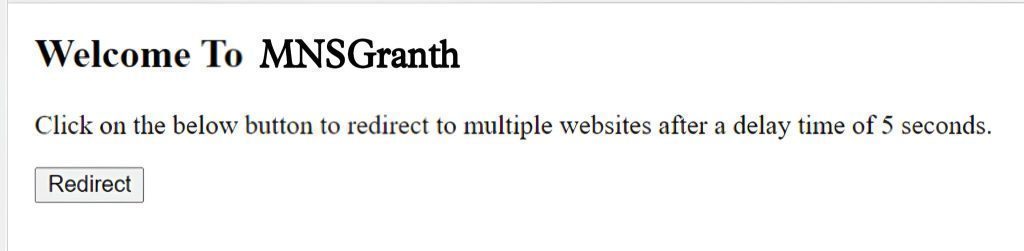
Now you click on Redirect button.
Click on Redirect button to redirect to multiple websites.
When we run the above HTML code and click on Redirect Button then the site automatically redirects to the above defined multiple websites after a delay time of 5 seconds. This delay time and the website to which the site redirects can be changed in the script tag of the HTML file.
In the script tag, we are creating an “a” (anchor) tag for each website link which is clicked due to which the website gets redirected and after redirection the anchor tag is removed and another tag is created after a delay of 5 seconds until we redirect to all the given multiple website links.
Discover more from MNS.Code.Blog
Subscribe to get the latest posts sent to your email.

 MNS.Code.Blog